

Have you tried our Patient Portal?
With FollowMyHealth patients can:
v Communicate privately via secure messaging
v View test and lab results from their doctor
v Update their health information (allergies, medications, conditions, etc)
v Create and track wellness goals with online apps that let you monitor your health
v Access the portal online via any computer or mobile device
And it’s available online 24 hours a day, 7 days a week via any computer, mobile device or smart phone!
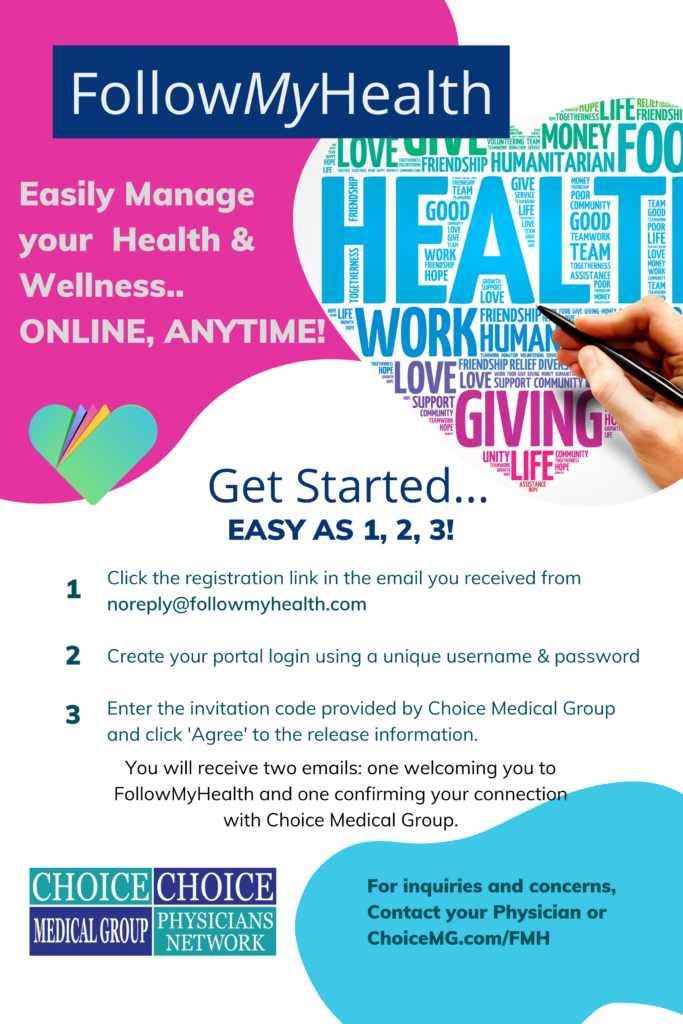
In order to start the registration process and get connected to your medical information, follow these 3 steps when you click the registration link below:
1) Click Sign Up and Connect. If you already have a portal account and want to connect with an additional provider, click Sign in and add this connection (skip to step 3).
2) Create a username for your portal account. By default, this will be your email address. Next, create a password following the criteria noted on the right of the screen. Confirm your password to continue.
3) Connect your account. Follow the on-screen prompts to complete your account connection. These screens include accepting our Terms of Service, entering your Invite Code [year of birth] and accepting the release of information.
You will then be ready to access and manage all of your personal health information in one secure location 24 hours a day / 7 days a week with any computer, smartphone or tablet!
And don’t forget: with our portal you can communicate via secure messaging …view your test and lab results the moment they’re available and so much more!
FollowMyHealth makes it easier for you to participate in managing your health care. You can use a computer or your mobile device to view, track and update your personal health record; view and update your personal information, review past appointments; request new appointments; request prescription renewals; view most of your test results and communicate securely with your provider?

Check your personal records anywhere, anytime using a computer, smartphone or tablet.

Save valuable time with online communication tools - from prescription refills to dr. questions..

Make more informed health decisions and manage your entire family's healthcare.
Step by Step Instructions
How to Register – Video
How to Use – Video
What is Follow My Health?
Follow My Health is a patient portal to provide a convenient and secure way for patients to manage their personal health records from any computer or mobile device with internet access. Step by Step instructions available below.
What are the benefits of using Follow My Health?
- Securely view your personal health record
- Access when it’s convenient for you
- More features added continuously to improve your online experience
I don’t remember my username or password. What do I do?
We do not store usernames and passwords. We are only able to tell you what method you used to create your portal account. If you signed up using an existing account with Facebook, Google, Yahoo, or Microsoft LiveID, your sign-in is an e-mail address and the password for that e-mail address. When using the FMH Secure Login, the sign-in is a username and password that you created for yourself. You can reset your password with your username. If you are unsure of your login method, please contact your provider’s office.
Why can I get into my account with no problems when I use my computer, but I can’t access my account on my phone/tablet?
If you are using a mobile device, you must use the Follow My Health mobile app to get into your account by downloading the free app for your mobile device. Once you download the app, you can log in to your account using the same method you would if you were using the computer.
I was able to see information in my portal but now I am unable to?
Connect to our facility. In your Follow My Health account click on “My Account” in the upper right-hand corner and then click on “Connections”. If you don’t see Primary Care Partners listed you will need to click on “Add Connection”. Search by zip code 92307 for Primary Care Partners. Click on Primary Care Partners and click connect. The next step will be to accept the release of information. Once this is complete your connection is verified and once accepted you will see an email in 5 to 7 days to finalize the connection of your account.
Can a parent/guardian set up and manage an account for a child/dependent?
Yes. Learn more about proxy access by clicking here.
Why can’t I see my labs?
Labs flow into your portal account as soon as your provider has signed off on them. Note: Labs that are ordered by an outside physician will not flow over to the portal because that physician is not part of the Primary Care Partners.
How can I communicate with my provider or their staff through the portal and when can I expect a response from my provider?
Click on “Send a Message” at the top of your portal account or click on “Inbox” and then “Compose.” Either method will take you to the same screen where you can select your provider and send a message. Once you finish, you will get a screen saying your message has been sent and you can find that message in your outbox. Responses typically come back within 72 business hours. We don’t monitor messages on the weekends.
Is Follow My Health Portal secure?
The first priority is patient privacy and the safety of patient information. For that reason, we request that you provide us with an email address and Photo ID, before going to our website and signing up. We store and transmit all records via HIPAA compliant secure servers.
How do I sign up from an email invite?
Click here to review the quick video on how to sign up via an email invite.
Still need help? Please contact the staff at your physician’s office. Thank you!